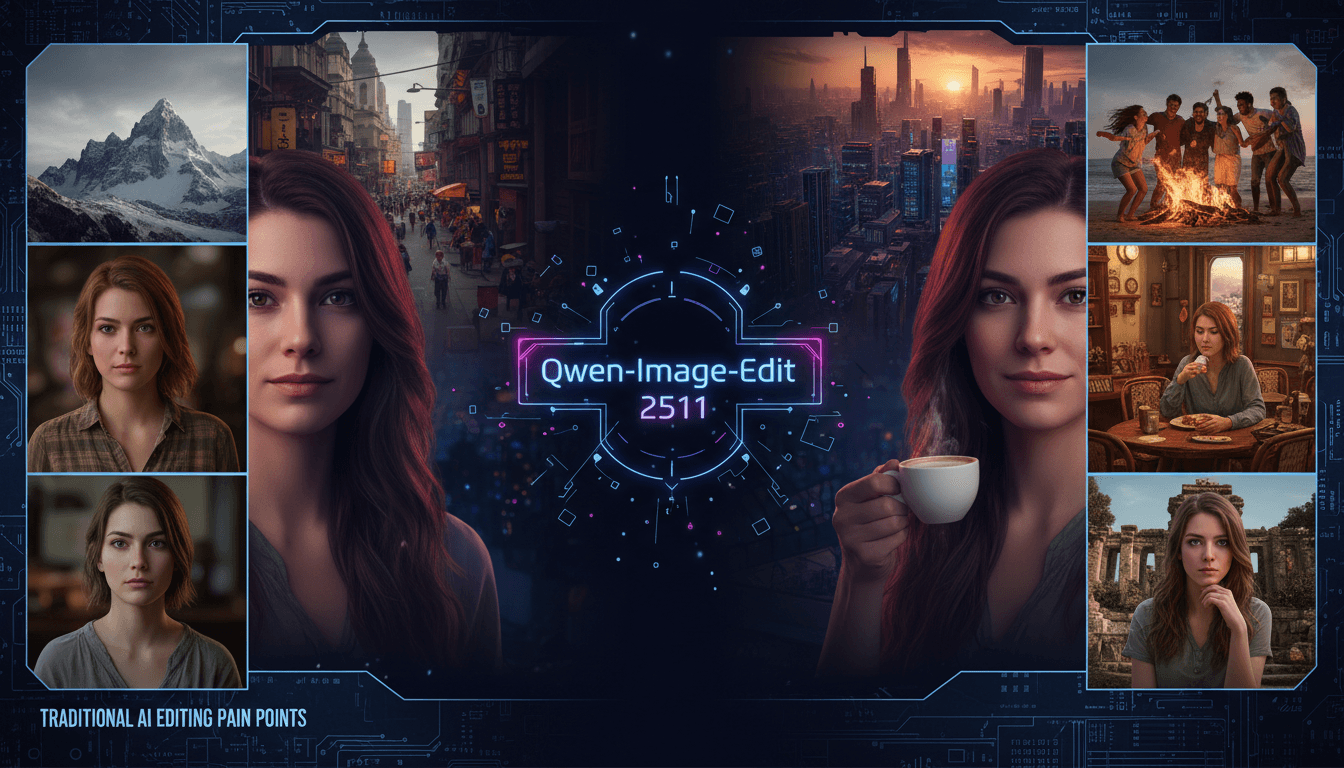
Qwen-Image And Qwen-Image-Edit : From Scratch to Meticulous Refinement - A Practical Test
In the fiercely competitive landscape of AI image tools, many users face common frustrations: generated character photos often feature inconsistent appearances of the same character when the scene changes; synthesizing group photos with distant relatives or friends results in a strong sense of incongruity; professional retouching and industrial design material replacement are either overly complex to operate or produce distorted effects. However, with the launch of Alibaba's Qwen series models—Qwen-Image (generation model) and Qwen-Image-Edit (editing model)—these pain points seem to have found a better solution. Today, we take an in-depth look at the two AI models through practical tests to uncover their hidden surprises.
Try Qwen Image Generator Online
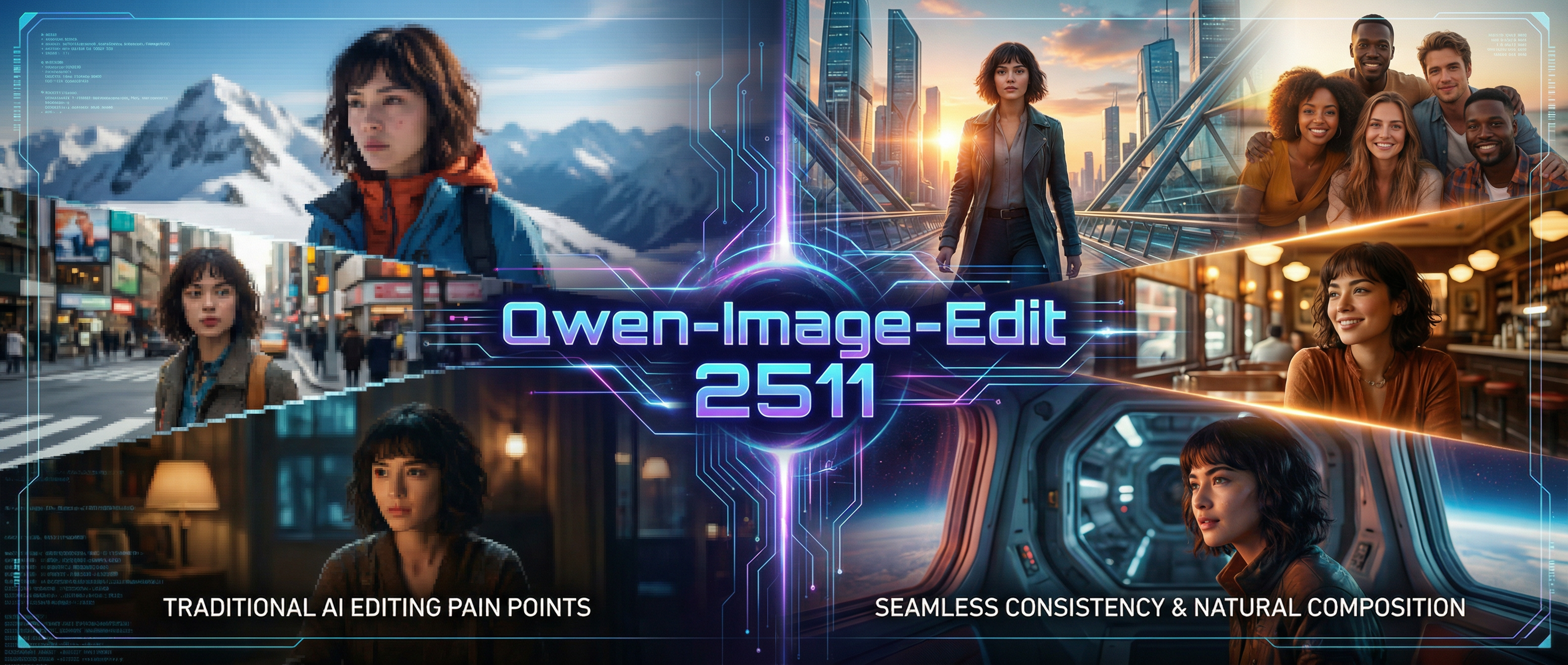 First, Clarify Positions: Precise Division of Labor Between Generation and Editing
Before diving into the tests, let’s define the core positioning of both models: Qwen-Image focuses on high-quality image generation, supporting creative creation in diverse styles; Qwen-Image-Edit, on the other hand, specializes in "precise and controllable image editing," excelling particularly in scenarios such as character consistency and multi-image fusion. The two complementing each other, they cover the full-cycle image needs from "creating from scratch" to "refining meticulously." Notably, the latest version—Qwen-Image-Edit-2511 (an upgraded version just released in December 2025)—not only inherits the multi-modal editing capabilities of its predecessor but also specifically addresses issues like character feature drift and high barriers to advanced functions. Moreover, it is open-source and free, making it easily accessible to both ordinary users and developers.
Qwen-Image: Translating Text into Visual Works Precisely
As the foundation of image generation, Qwen-Image is built on a 20-billion-parameter MMDiT (Multi-Modal Diffusion Transformer) architecture. Its biggest breakthrough lies in solving the core challenge of "text rendering" in AI image generation—whether it’s Chinese, Chinese-English mixed text, long paragraphs, or complex layouts, all can be restored with high precision. This is its key advantage over other image generation models. Beyond precise text rendering, its capabilities extend to meeting creative needs across various styles and scenarios, including commercial posters, brand visual materials, social media content, and publishing promotional images, with outputs that balance creativity and practicality.
Qwen-Image-Edit: Say Goodbye to "Retouching Turning into Ruining"
If Qwen-Image solves the "from 0 to 1" creation problem, Qwen-Image-Edit addresses the "from 1 to N" optimization challenge. We conducted multiple practical tests focusing on the core upgrades of the latest version, and the experience exceeded expectations.
1. Bid Farewell to AI "Face Blindness": Maximum Character Consistency
This is the most impressive upgrade. Previously, when using AI to edit character images, slight changes in posture or background would cause the character’s facial features, hairstyle, or even expression to "drift." Qwen-Image-Edit-2511 completely resolves this issue—by inputting a base portrait, whether generating a vacation photo under the Eiffel Tower, a work photo in the office, or converting it to pixel art or sketch style, the character’s core features (eyes, hairstyle, subtle expressions) are accurately preserved.
2. Virtual Group Photos Come True: Seamless Multi-Person Fusion
Long-distance couples wanting to take couple photos, families separated by distance hoping for a family portrait, or netizens wanting to "co-frame" with idols? Qwen-Image-Edit-2511’s multi-person group photo function realizes "freedom of virtual co-framing." Simply input two independent character photos plus scene instructions, and the AI automatically adjusts postures, optimizes composition and lighting, generating natural and harmonious group photos.
3. Democratized Professional Functions: Built-in LoRA + Material Replacement can be done with one click
For content creators and designers, advanced editing functions often have high barriers. For example, adjusting photo lighting or replacing product materials previously required professional software or manual loading of additional plugins. Qwen-Image-Edit-2511 directly integrates frequently used LoRA (Low-Rank Adaptation) sub-models, eliminating the need for extra configuration—users can call them with natural language instructions.
4. Extended Professional Scenarios: Geometric Reasoning for Auxiliary Design
The new version also adds geometric reasoning capabilities, supporting the addition of auxiliary lines, extension lines, and other elements to images—highly useful for architectural design, interior design, educational illustration, and similar scenarios. However, practical tests revealed room for improvement in precision: for example, inputting "draw a perpendicular line from point A to line BC" resulted in the auxiliary line not perfectly aligning with line BC. We look forward to optimizations in future versions.
Collection of Practical Test Cases: Covering Core Scenarios from Personal to Professional
To intuitively demonstrate the capabilities of the Qwen-Image family, we selected three core scenarios—personal creative creation, social needs, and commercial design—and conducted targeted practical tests. All cases used natural language instruction input to simulate real user experiences.
Case 1: Personal Creative Creation – Cross-Scene Character Style Migration
【Test Requirement】
Based on a personal front-facing portrait, generate images in 3 different scenes and 2 styles, ensuring complete consistency of the character’s core features (facial features, hairstyle, facial expression).
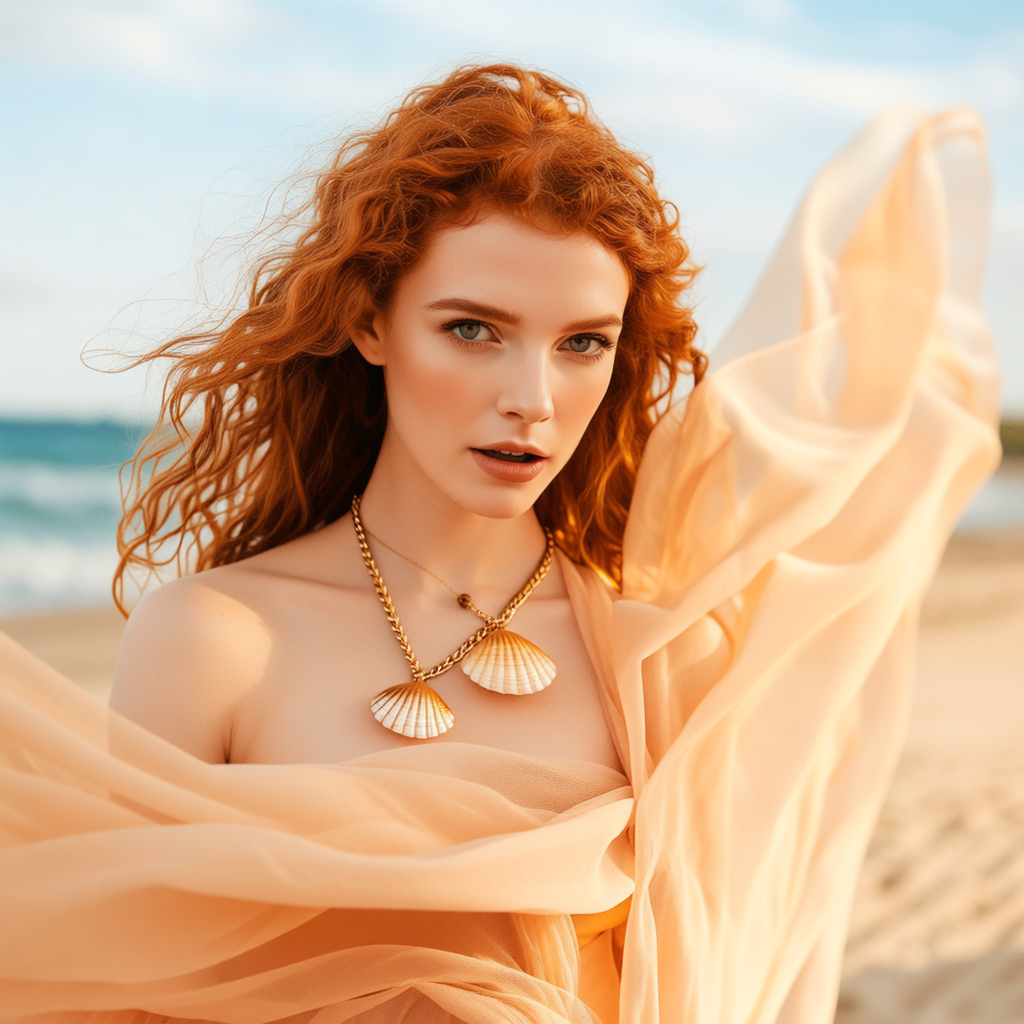 【Prompt】
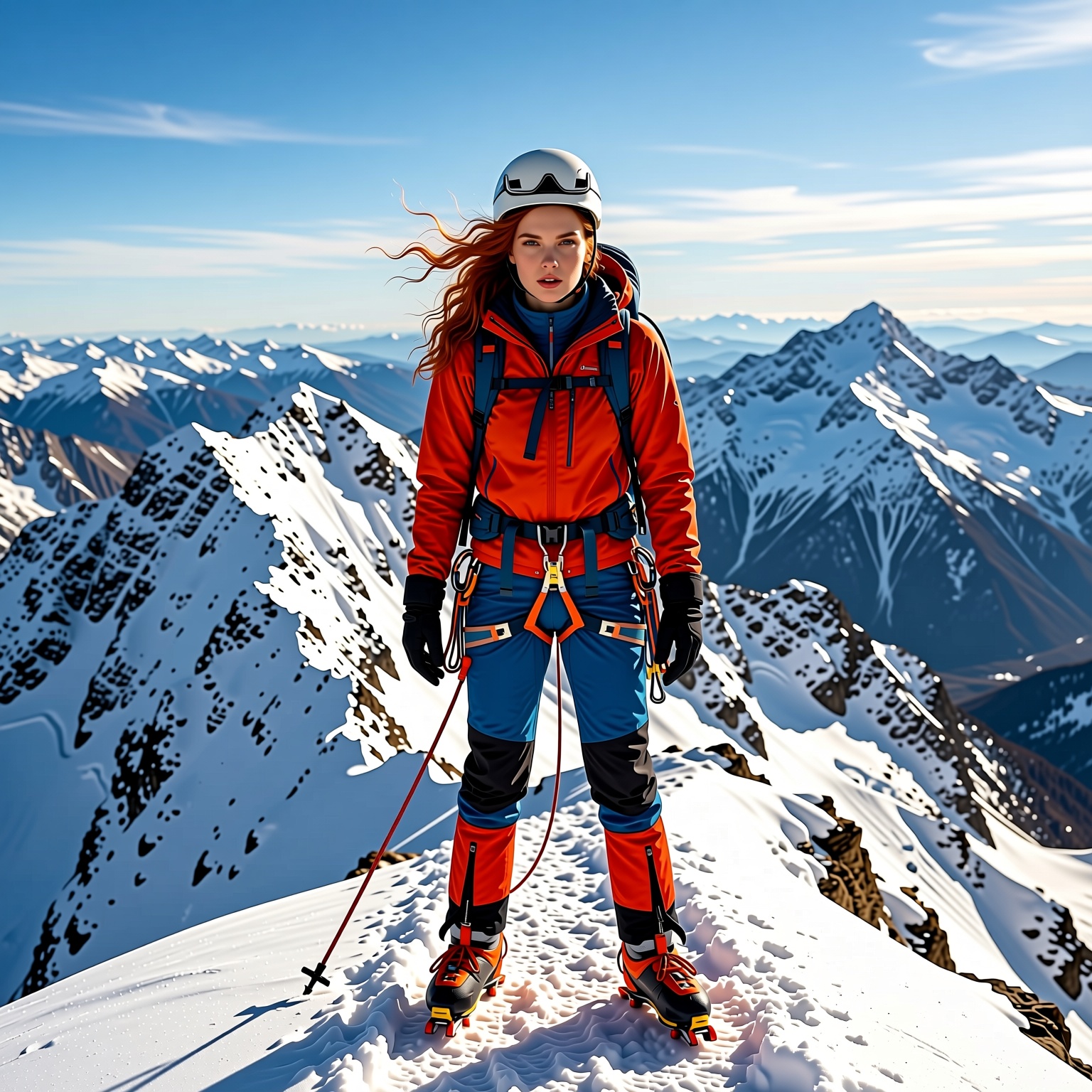
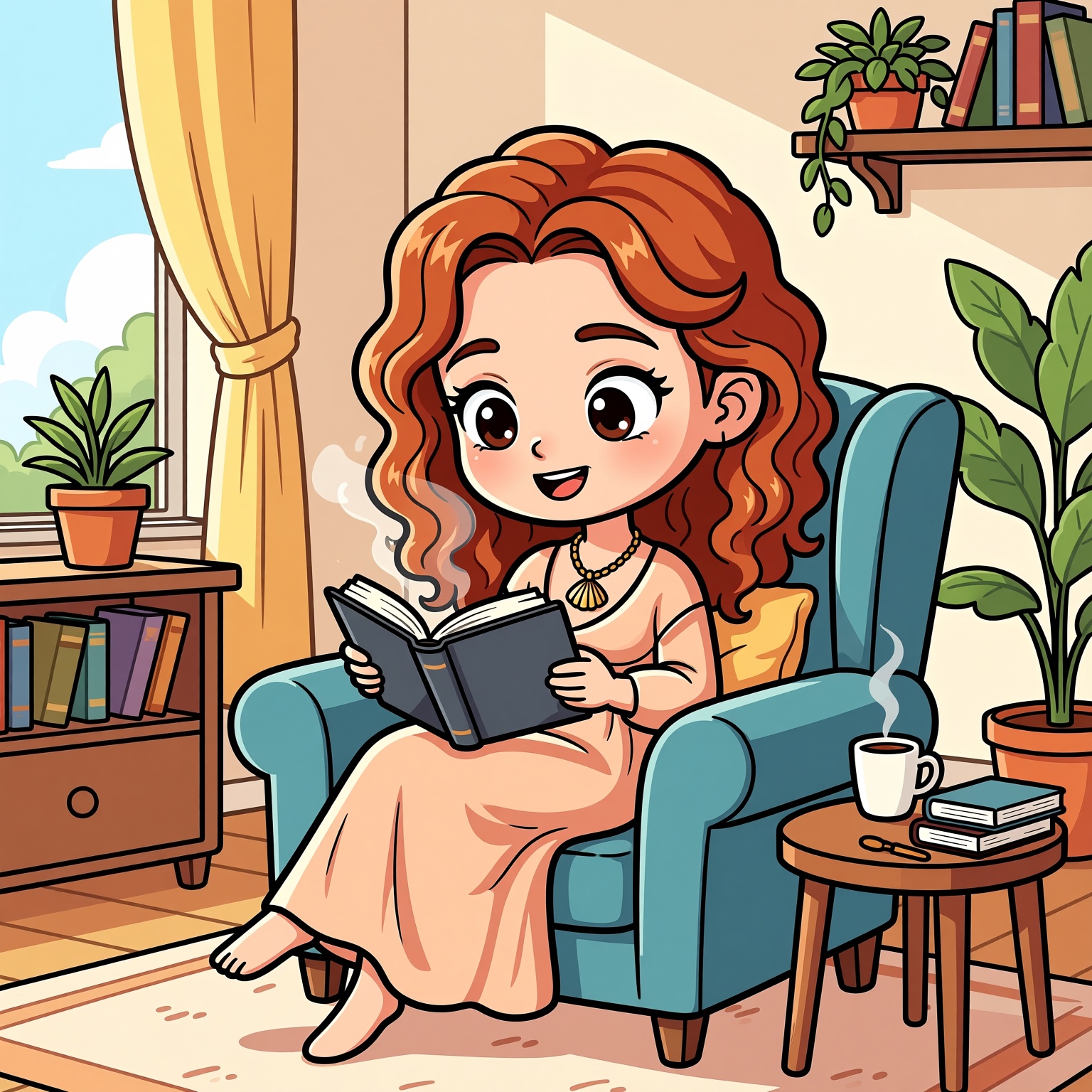
1. Based on the reference image, generate a realistic-style mountaineering photo at the top of a snow-capped mountain;
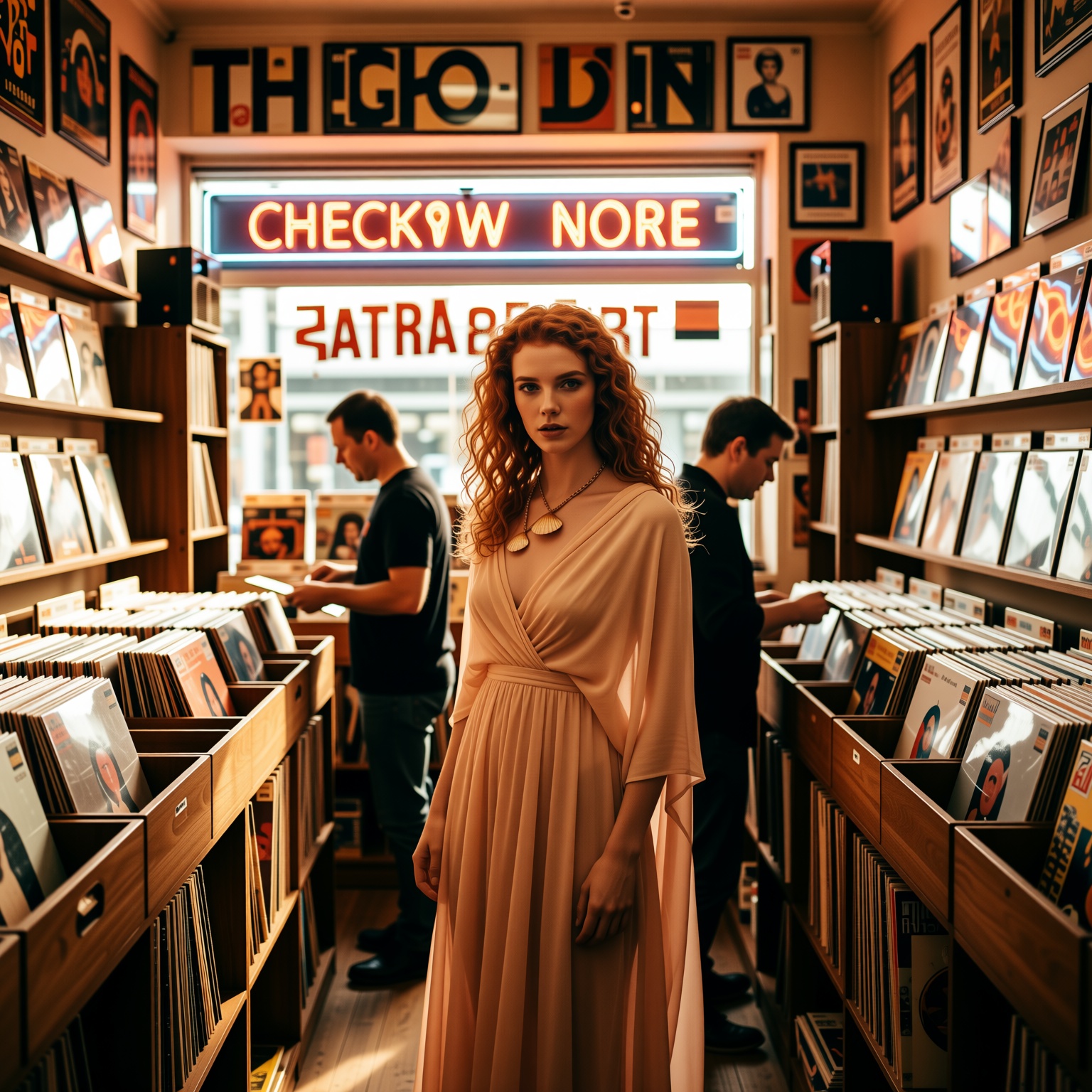
 2. Based on the reference image, generate a film-style check-in photo at a vintage record store;
 3. Based on the reference image, generate a cartoon Q-version photo of reading at home.
 【Test Result】
All three generated images accurately preserved the eye features, hairstyle outline, and facial contour of the original. The scene integration was natural: the mountaineering photo featured equipment that fit the character’s figure, with light and shadow showing a cool-toned gradient matching the snow-capped mountain environment; the film-style record store photo had a slight graininess, with the character’s posture adapting to the store scene; the Q-version image simplified facial details but retained the core expression, achieving a seamless style transition.
Case 2: Social Needs – Long-Distance Multi-Person Virtual Group Photo Synthesis
【Test Requirement】
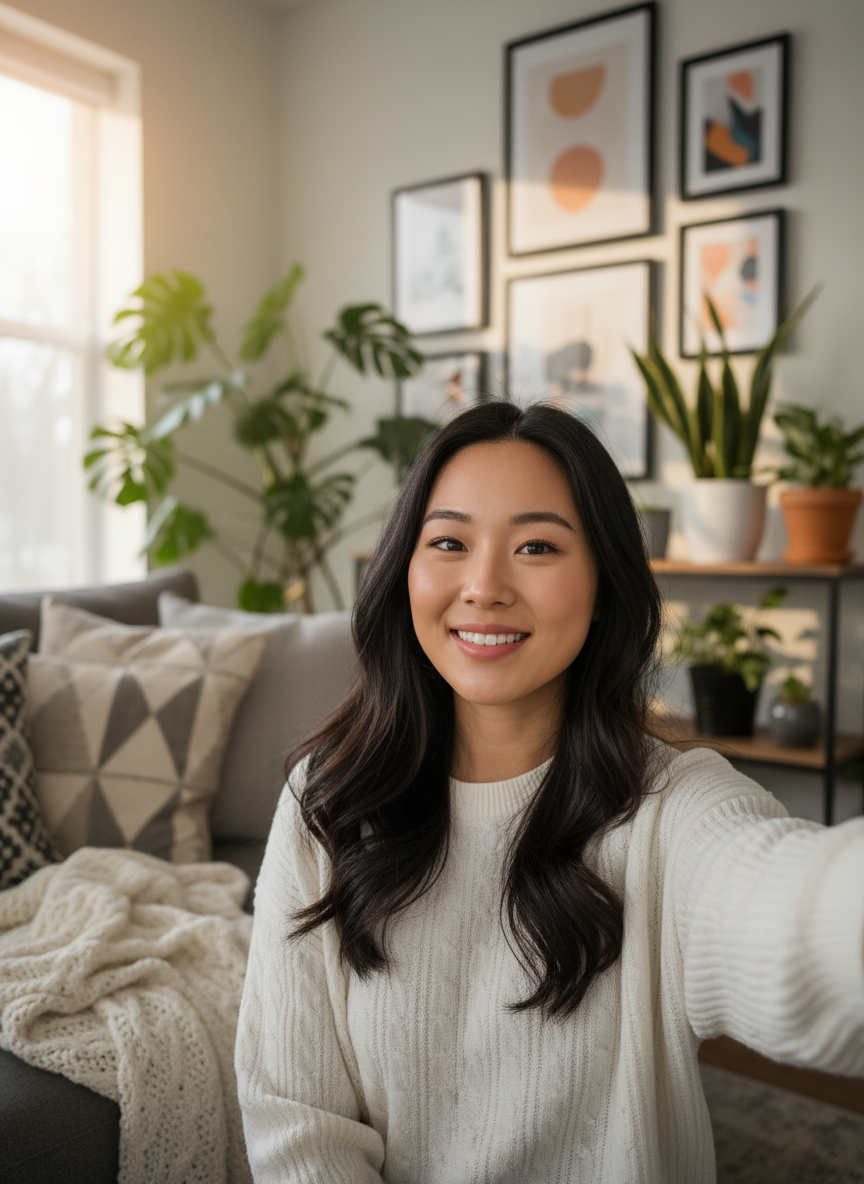
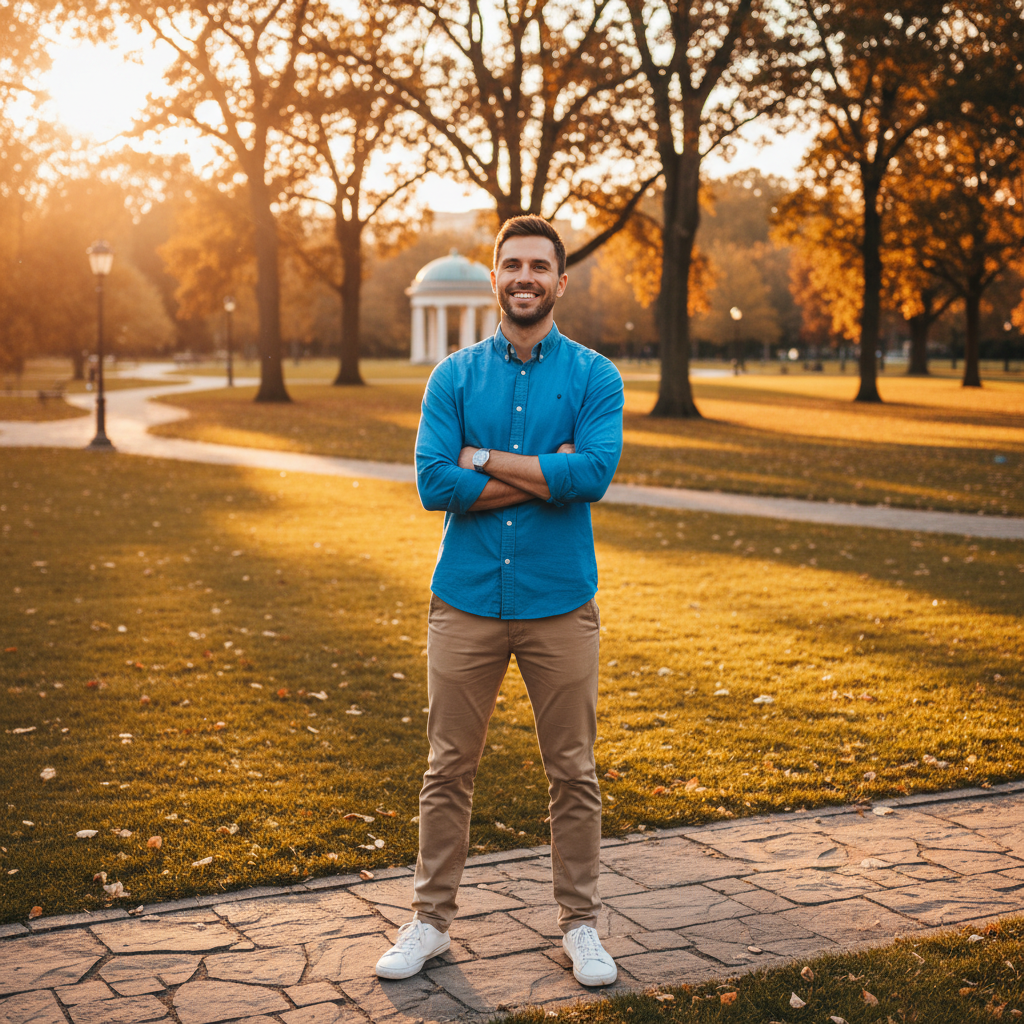
Synthesize two independent character photos (A: indoor home selfie; B: outdoor park tourist photo) into a group photo for a formal occasion, requiring natural postures, unified lighting, and no visible synthesis traces.
 【Prompt】
Synthesize a group photo of A and B at a company annual meeting, with both standing side by side, smiling at the camera, wearing black formal attire, against the backdrop of the annual meeting stage, and with warm, unified lighting.
【Test Result】
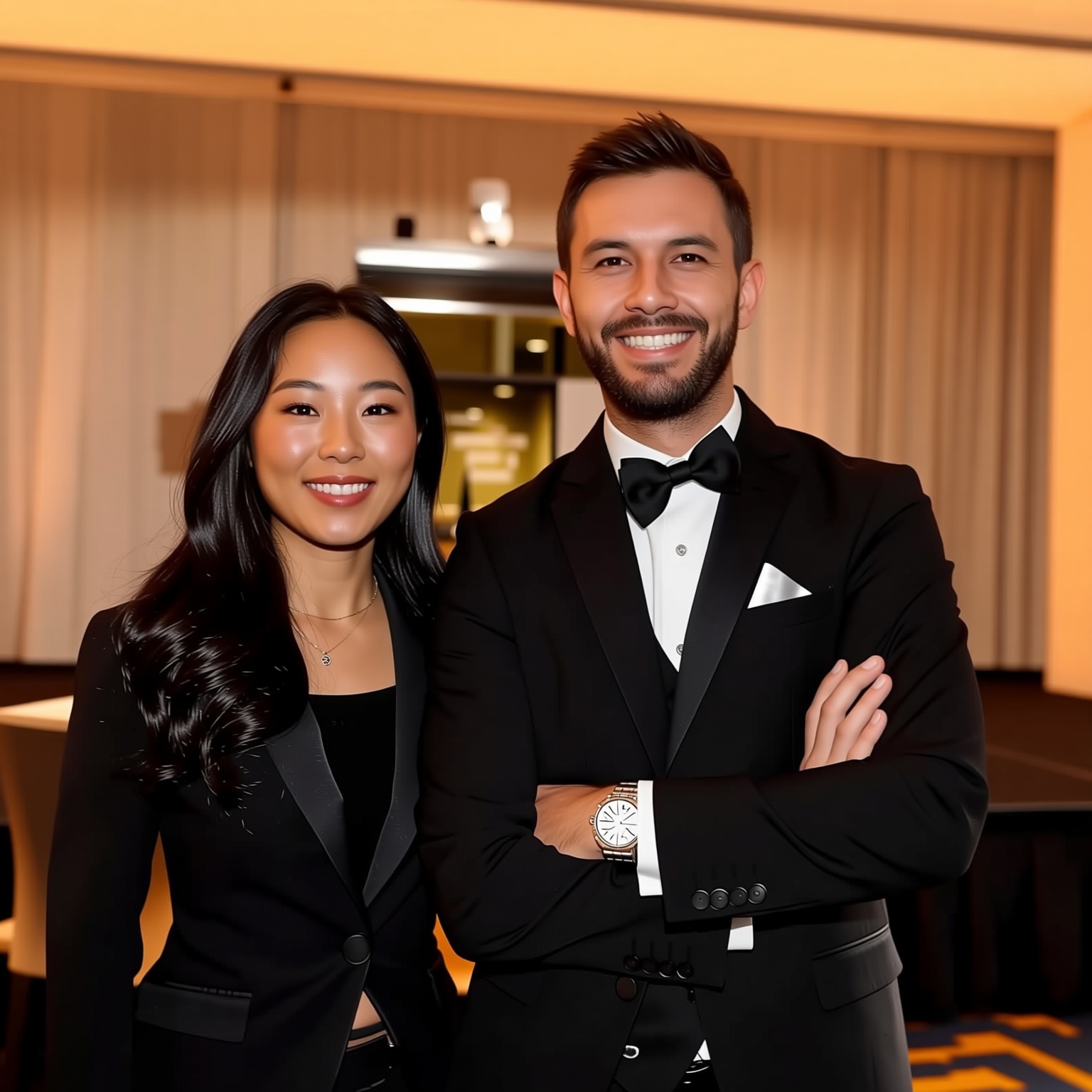
In the generated image, A and B had a coordinated height ratio and naturally leaning shoulder postures, conforming to the interaction logic of group photos; the black formal attire fit their figures accurately without wrinkling or distortion; the warm light evenly covered both characters and the background, with rich stage details that did not obscure the subjects; the overall image had no obvious synthesis traces, and the light reflection and shadow projection of the characters and scene remained consistent.
【Note】
Before the test, we confirmed the copyright ownership of both photos. The synthesized image was only used for testing and not for commercial or public distribution. Users are advised to comply with relevant laws and regulations on portrait rights and copyright when using the tool.
Case 3: Commercial Design – Rapid Product Material
Replacement and Scene Adaptation
【Test Requirement】
Replace the material of a wooden desk product with 3 different materials and generate corresponding commercial display scene images, requiring realistic material textures, unchanged product structure, and high scene-product adaptability.
【Prompt】
1. Replace the material of the reference desk image with white sintered stone and generate a display photo in a modern minimalist study;
2. Replace the material of the reference desk image with dark brown genuine leather and generate a display photo in a luxurious office;
3. Replace the material of the reference desk image with light gray concrete and generate a display photo in an industrial-style studio.
【Test Result】
All three material replacements fully covered the product surface with realistic texture details (the granularity of sintered stone, the wrinkles of genuine leather, and the roughness of concrete were clearly visible); the product structure remained unchanged, with intact details such as table legs and drawers; the scenes of different styles were highly compatible with the product—the soft lighting of the study, the professional lighting of the office, and the cool-toned lighting of the studio all matched the material characteristics, making the images suitable for direct use in e-commerce platform displays.
Who Should Try It First? These Three Groups Will Benefit Most
After hands-on experience, the Qwen-Image family covers a wide range of image needs from personal to professional use, serving as a powerful efficiency tool:
Content Creators: Short video bloggers and self-media authors no longer need to rely on expensive retouchers. They can independently generate multi-scene character images and creative retouching, greatly expanding their creative possibilities;
E-commerce Practitioners: They can quickly generate product display images in different scenes and replace materials with one click, allowing customers to intuitively understand product effects and reducing shooting costs;
Designers (Graphic, Industrial, Architectural): They can rapidly generate design schemes and preview material effects, significantly shortening the initial design cycle.
Try Free AI Image Generator Now
Summary and Outlook
The combination of Qwen-Image and Qwen-Image-Edit not only achieves full-cycle coverage of "generation + editing" but also democratizes professional image functions through technical optimizations. For ordinary users, creative retouching and group photo generation are accessible without professional skills; for developers and designers, the open-source and free nature enables secondary development and commercial applications.
We look forward to future versions optimizing the precision of fine control and geometric reasoning, as well as expanding LoRA sub-model support for more professional scenarios. Whether you are a content creator, designer, or simply an enthusiast of cutting-edge AI tools, feel free to explore the new possibilities of AI image creation—you might unlock a whole new world of creativity the next second.